Check in. Carry on.
Tap to log a habit or undo an entry. Track something once a day, or count it every time. A quick check-in keeps the picture up to date.
 EverydayCalendar
The habits you’re building. The ones you’re leaving behind. See them together, one day at a time.
For iPhone & iPad · iOS or iPadOS 17+
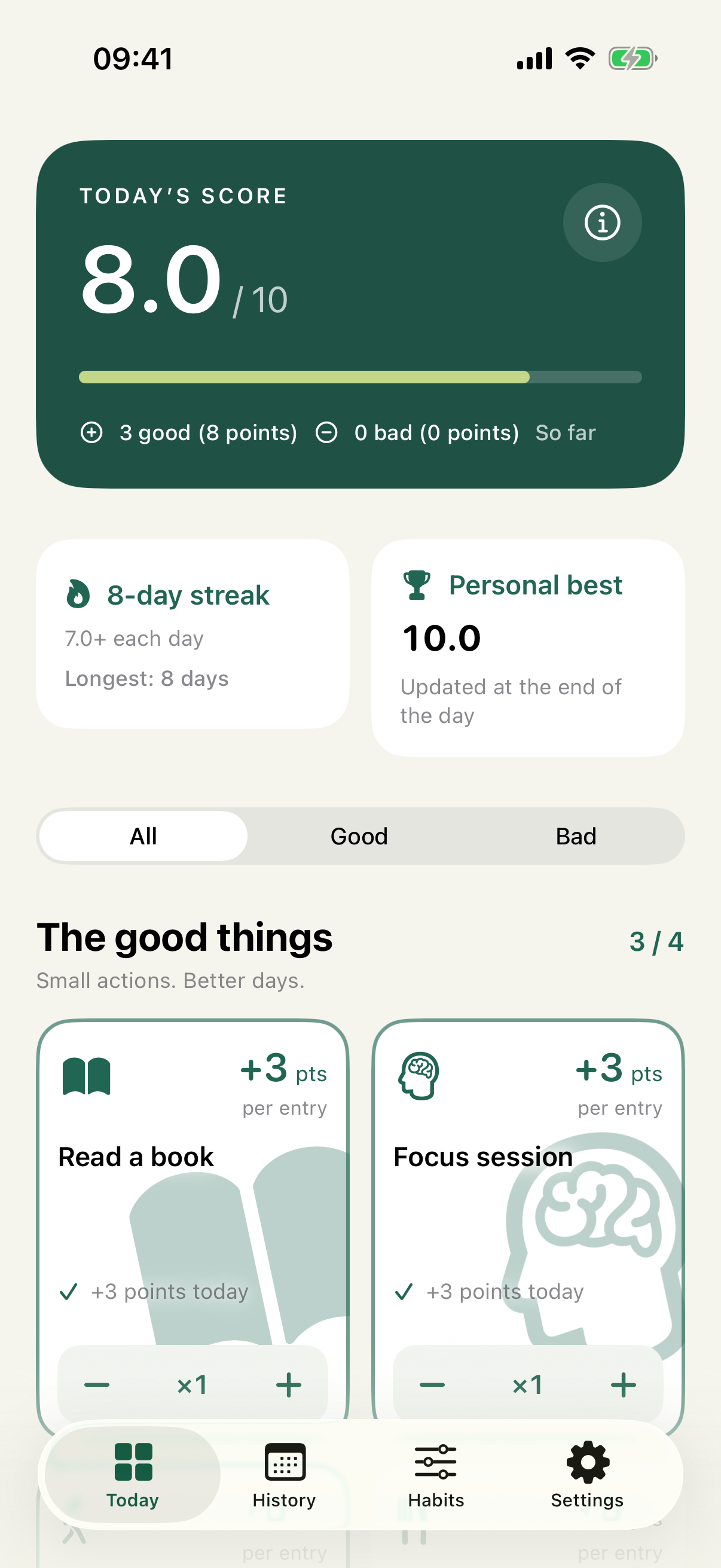
Small actions add up
Tap to log a habit or undo an entry. Track something once a day, or count it every time. A quick check-in keeps the picture up to date.
Choose the habits you want to build or reduce, set their influence, and pick their active weekdays. Your 0–10 score reflects what matters to you.
Set a daily reminder, choose your streak target, and make each habit familiar with an icon or your own image. There’s room to make it personal.
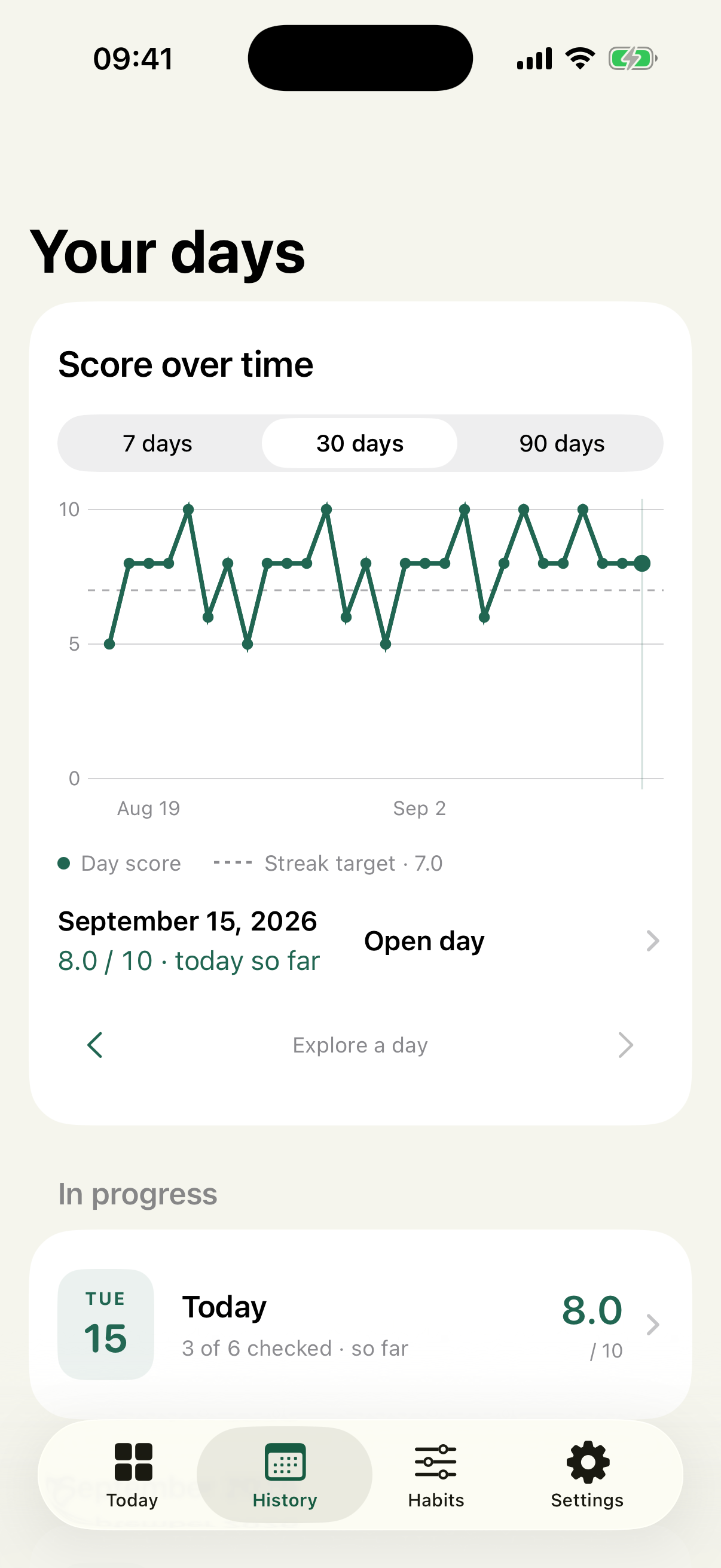
Look back. See the bigger picture.
Explore your scores over 7, 30, or 90 days. Follow your streaks and personal best, or revisit a day to fill in a check-in you missed.
Your history keeps the habit settings recorded for each day, even as your routine changes.
A few useful details
See the EverydayCalendar App Store listing for availability in your region.
The app supports English, Spanish, Serbian (Cyrillic), and Russian. You can choose your language in Settings.
Your calendar is stored on your device by default, and you don’t need to create an app account. You can export your calendar and history as JSON.
Optional iCloud functionality is being prepared for release. When enabled, it stores your calendar and custom icons in your Apple Account’s private iCloud database. Turning it off keeps a local copy and does not delete an existing cloud copy.
Read the EverydayCalendar privacy policy for details about optional iCloud sync, Screen Time, custom icons, exports, and deleting data.
We’d love to hear it. Email contact@hvalapuno.me for EverydayCalendar support or feedback. Include your device model, iOS or iPadOS version, app version, and what happened. Please share only the information needed to investigate.
For data and privacy questions, see our privacy policy or use the same contact address.